AzShear and the Leading Edge

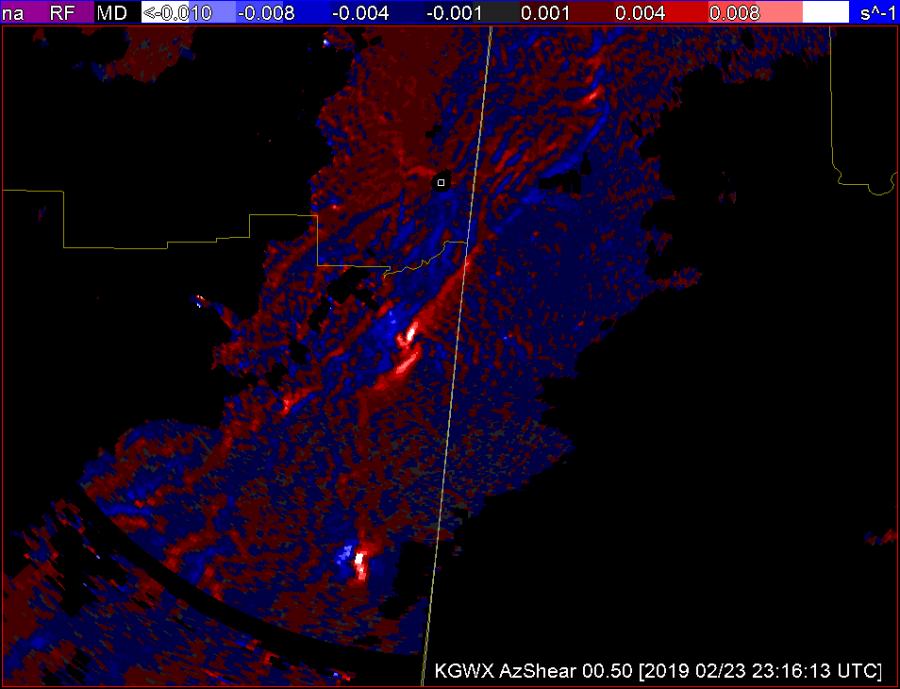
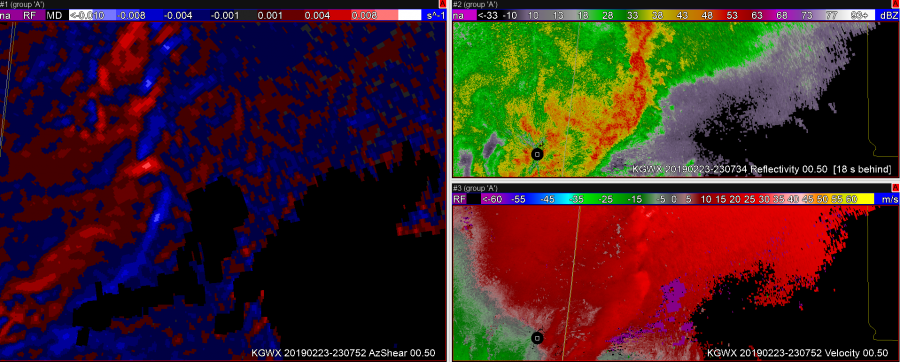
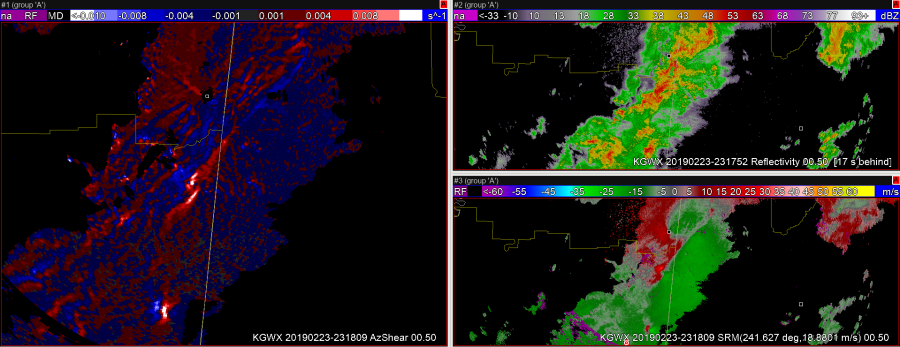
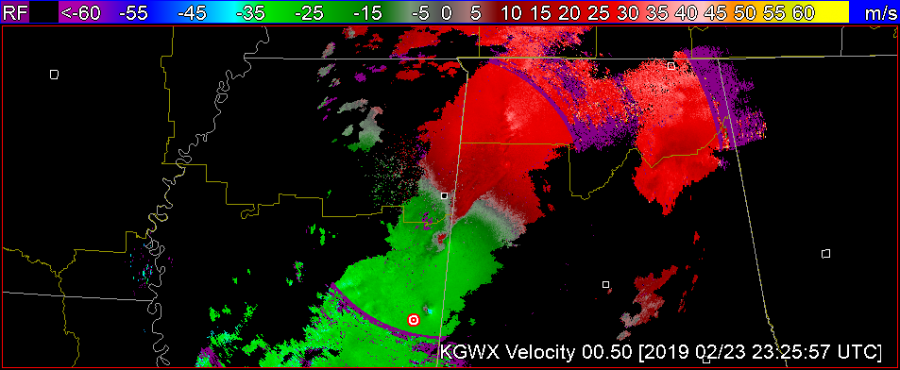
Spectrum Width is (I feel) a seldom used and/or misunderstood product, but one of the uses of it is to view the leading edge of a gust front with messy reflectivity. I think the Az Shear product, especially the single radar version, adds an additional layer to this boundary identification. A forecaster would need to be aware where the radar is with respect to the leading edge as the Az Shear flips whether you are north or south of the radar, but putting the Velocity, SW, and Az Shear together makes that leading edge ID easy. This is important when doing DSS for events for example, identifying and timing out right where the leading edge winds begin. Below are two screenshots one with AzShear, Reflectivity, and SW, and another with AzShear, SW, and Velocity. You can see where the leading edge is in the most norther part of the line in reflectivity (tight gradient that lines up well with SW). In the middle of the reflectivity though it gets messy. While details of the leading edge are still visible in SW, they stand out well in the AzShear, including where a kink the line and a new circulation is developing.
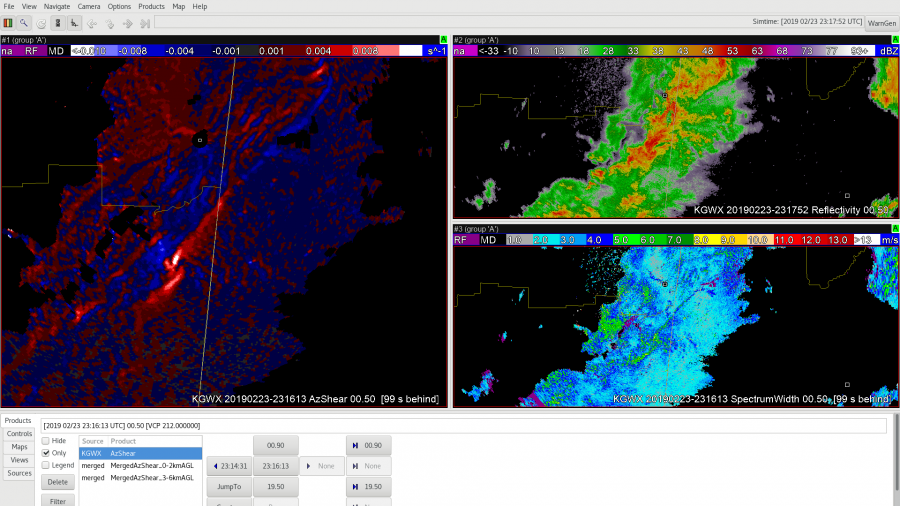
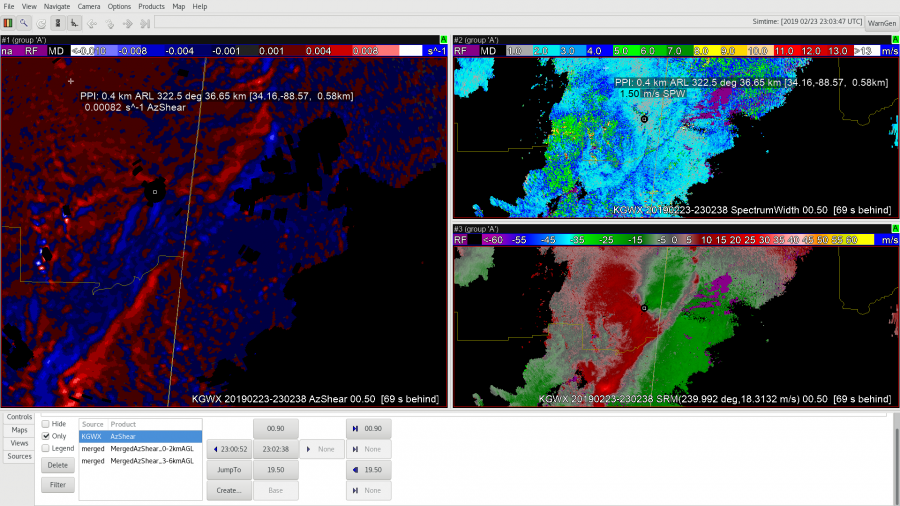
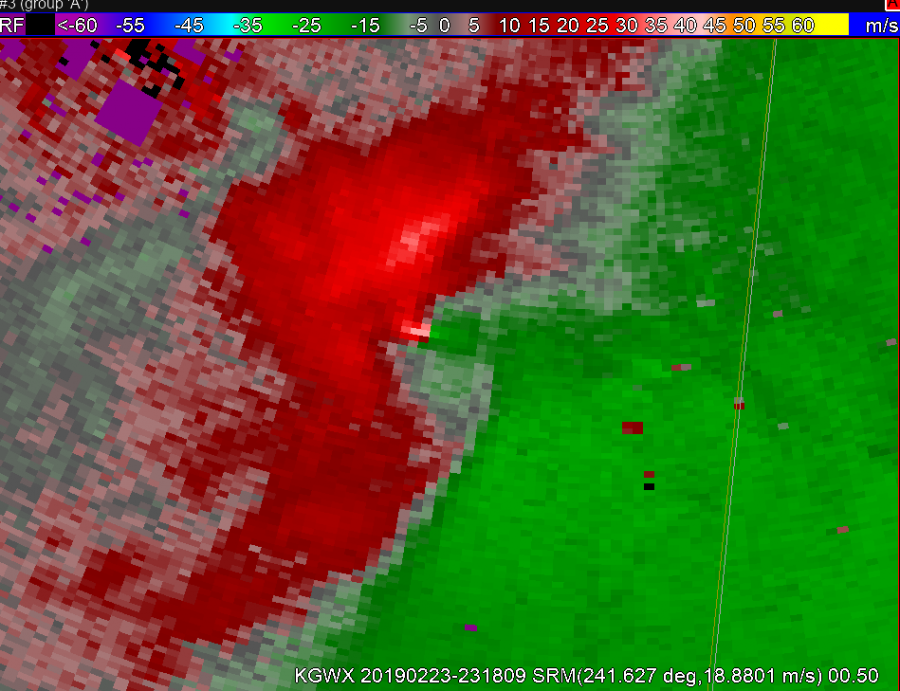
You can see this leading edge of the line in Storm Relative velocity as well (see above). Whether it is for tornadic circulation identification (which SW can also play a role in – high values of Spectrum Width = high turbulence like you’d see around a tight couplet) or for identification of the leading edge of the winds I think a 4 Panel of Reflectivity, Spectrum Width, Velocity, and Single Radar AzShear would be useful and valuable.

-Alexander T.
Single vs Merged AzShear as SAD Tool

In a zoomed out view the AzShear products can draw your attention to small gate-to-gate signatures in velocity data that would be harder to see without zooming in. In the image below it’s hard to see the gate-to-gate, but the AzShear product is standing out for the northernmost couplet.

Now reference the zoomed in velocity:

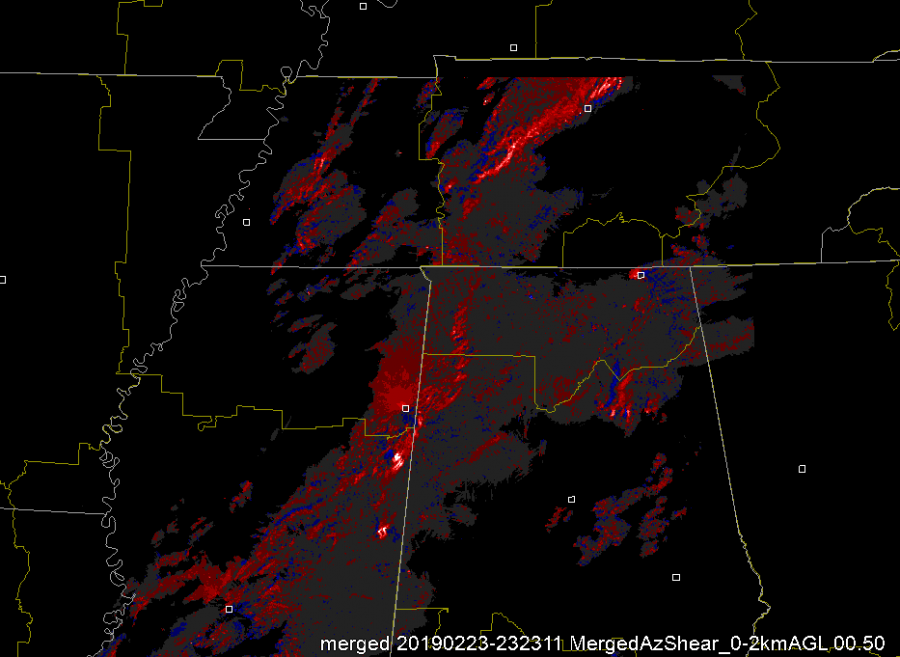
Additionally, the MergedAzShear products can alert you to couplets that are occurring at low-levels nearer to other radars than are currently being viewed. For example, in CWAs with multiple radars and with limited screen real-estate due to performance and monitor limitations, it is impossible to view all radars at once. Thus you find yourself switching tabs a lot. Utilizing the MergedAzShear can tell you when you need to look at a different radar and which radar you need to look at so you can triage a storm as fast as possible. See merged product:

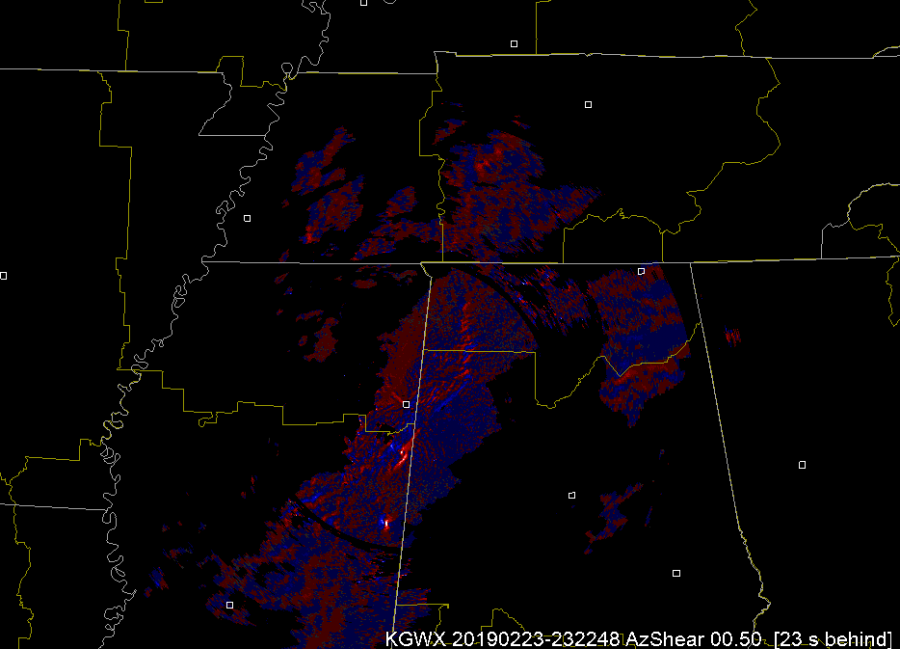
vs. a single RDA AzShear product:

And note the detail you can see in northern AL and western TN. After addressing the storms in eastern MS, I know I need to switch and look at nrn AL.

— FLGatorDon

Comparing RAOB to NUCAPS and AllSky Layer Precipitable Water

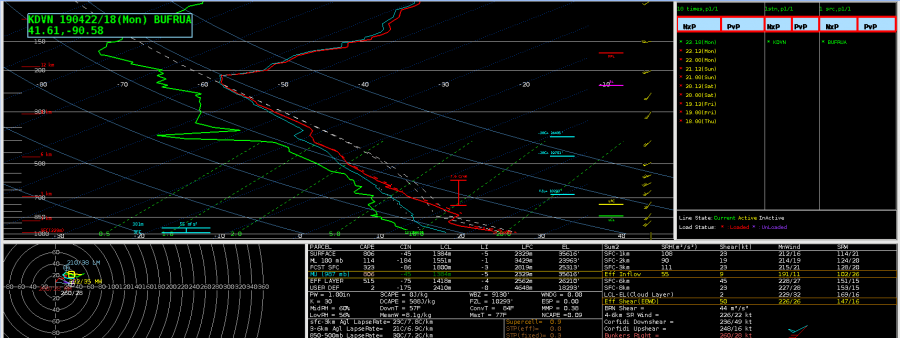
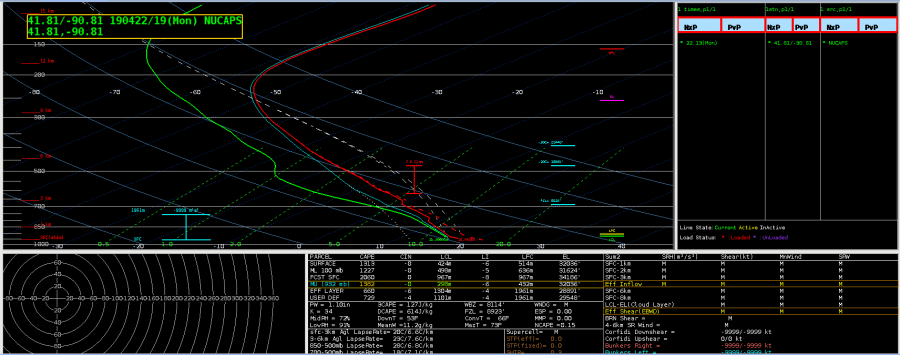
Davenport launched an 18Z balloon, which gave me the opportunity to compare the RAOB with a NUCAPS sounding (first and second images below, respectively). Initially, I attempted to modify the sounding in NUCAPS to try to bring it closer to the observed values, but after several minutes and attempts at doing that, I realized that I’d have to do multiple levels of modifications before it came anywhere close to the observed sounding. As great as it is to have the ability to modify the NUCAPS sounding, my initial thoughts are that I’m not sure how feasible it would be to do this in a much quicker-paced operational setting. If I’m sitting in the mesoanalyst seat during a severe weather event, I’d need to be able to analyze the available data much faster than doing a more detailed modification would allow.

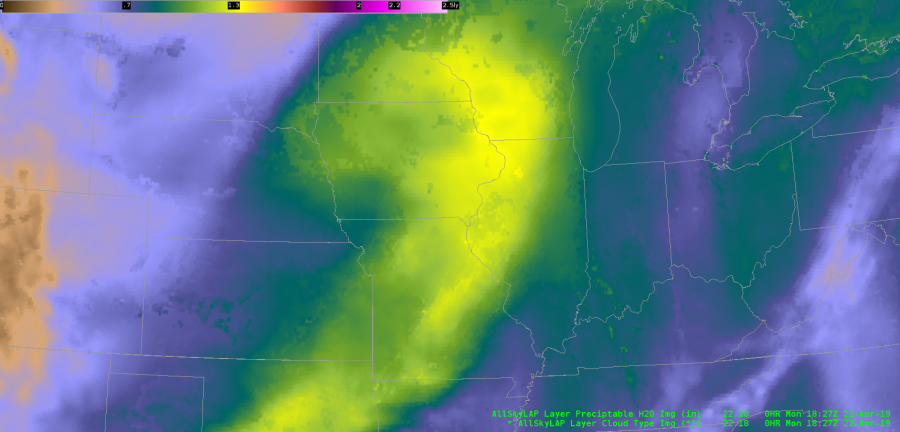
I was also able to do a PWAT comparison between these two soundings and the AllSky Layered Precip product. The NUCAPS and RAOB are very close together in values, whereas since the AllSky product (last image below) is currently utilizing the GFS to fill in the data in the DVN area, it’s noticeably higher (RAOB: 1.0″; NUCAPS: 1.1″; AllSky: 1.3″). I am very happy to be able to underlay the data type for the LAP products, since this is crucial for me to be able to see where the data is coming from and how to correctly assess and apply the right bias adjustments, as necessary.

As for the AllSky Layered Precip product, in general, this is very helpful to be able to identify potential atmospheric rivers and quickly diagnose PWAT trends with a decent degree of confidence, when again combined with the knowledge of what data is being used to compute the output.

~Gritty

NUCAPS in 4-Panel

When NUCAPS Sounding Availability is loaded in a 4-Panel and is ‘Editable’, you can sample the data by clicking on any of the other panels. This could be useful if there is an area of interest in one of your other datasets (i.e. vis/CAPE/PWAT) so that you don’t have to find the nearest dot using the NUCAPS imagery; simply click the area of interest on the panel you’re investigating. Works in panel combo rotate as well.

— FLGatorDon

Precipitable Water Overview

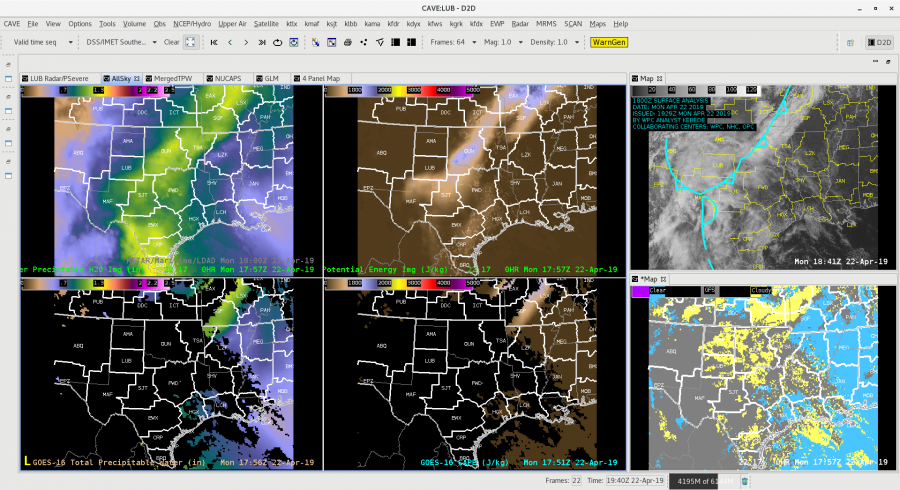
Looking at the different precipitable water (PW) products available in the HWT and doing a quick overview the All-Sky products provides a great first guess to fill in the PW where it is cloudy. Both the Merged TPW and the All-Sky take the first step in filling in where there are clouds. The image below  shows the sheer volume of data that isn’t available due to the pesky cloud cover. The 4-Panel to the left shows the All-Sky PW and CAPE on top vs. the raw derived PW and CAPE from GOES-16. On the right you can see the visible satellite and the All-Sky mask showing that most of the data, especially over Texas and Oklahoma is raw GFS (gray areas) at this point.

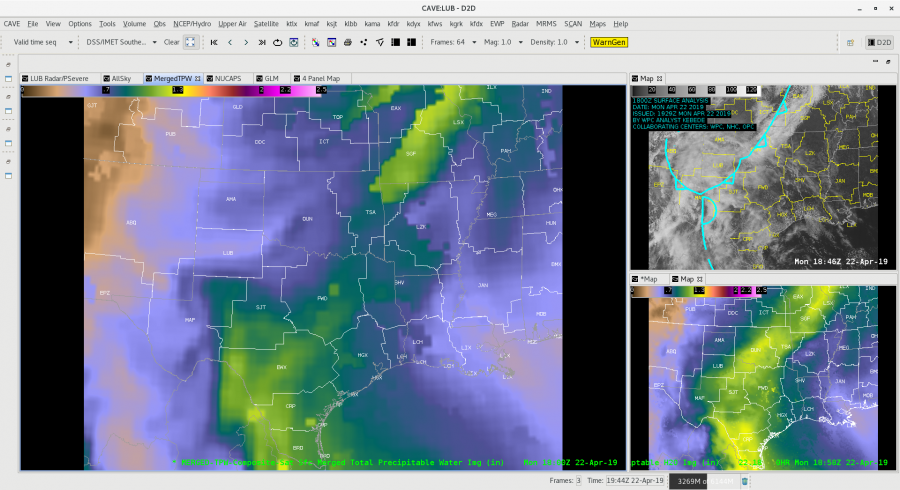
Looking at the Blended TWP vs. the All-Sky there are significant differences over north Texas and Oklahoma for this time frame. The BTWP product “is not forecast model dependent. ATPW uses  GFS model winds to advect the microwave retrievals and the GOES-16 component uses GFS in its TPW solution.” You can see where the blended product (big window below) only shows about 0.75 in PW, while the All-Sky is showing 1.25 in. across the Norman WFO. This can make a big difference when looking at rainfall forecasting and trying to assess just how much moisture in the atmosphere is over an area. In this case would certainly lean towards the All-Sky and then compare the information to other model soundings (from the HRRR, NAM, ECMWF, etc.) and to actual Upper Air soundings to see how the areas populated by the raw GFS are doing.

-Alexander T.

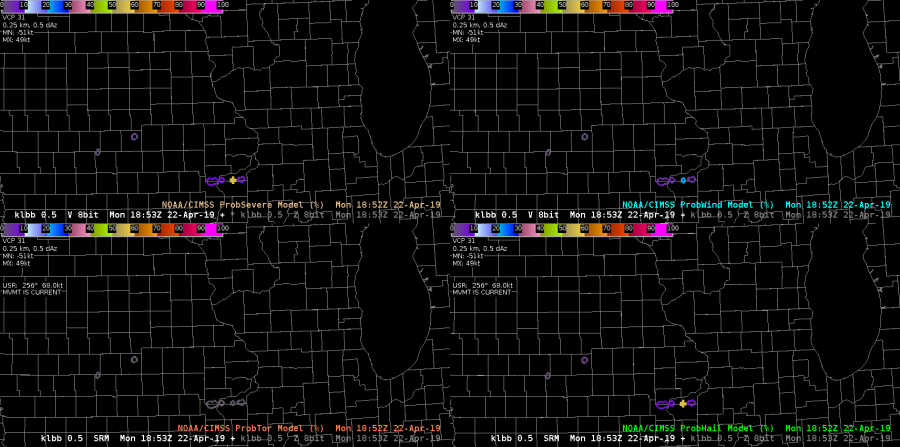
ProbSevere: Color Table Modification

While I’ve been a big fan of the ProbSevere Model for some time now, the default color curve has always been a little challenging for me to differentiate between the different percentages. Trying to find the right balance between the radar color tables and ProbSevere I know can be tough, but here’s my first go at attempting to better differentiate when the percentages move into the next 10% range. Unfortunately, I’m unable to really test this modified color table out since we’re currently not getting radar data in from the Davenport area, so will reassess this once I’m able to overlay the model output with radar imagery. But, just having the colors pop a little more is already helpful to me! Oh, and I’m very appreciative that ProbSevere v.2 now includes the separated values (i.e. ProbWind, ProbHail, ProbTor). Looking forward to testing this out once there’s a case to evaluate with it.

*Note: As of this posting, WFO DVN issued a Severe Thunderstorm Warning.

~Gritty

Single Radar AzShear Showing FFD and RFD?

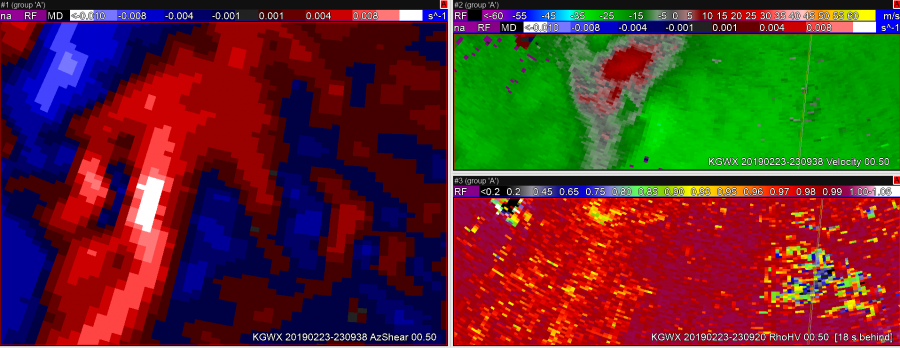
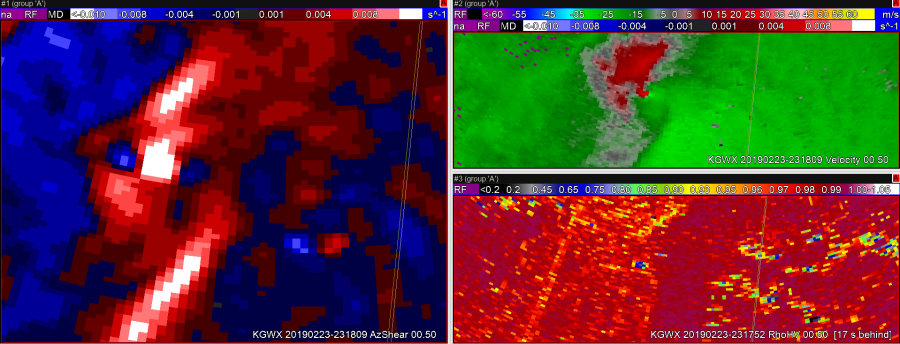
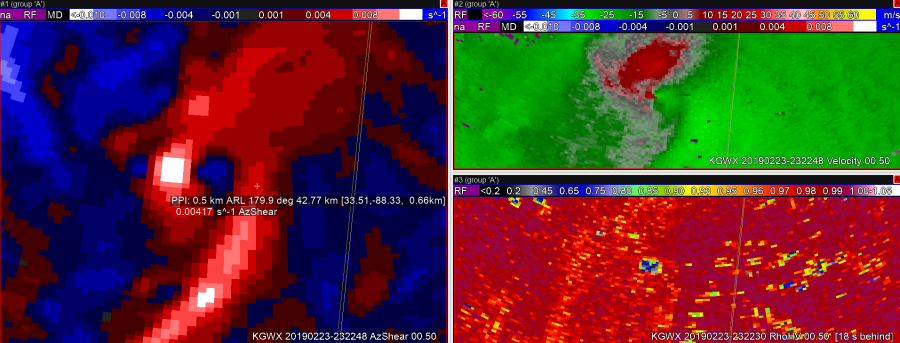
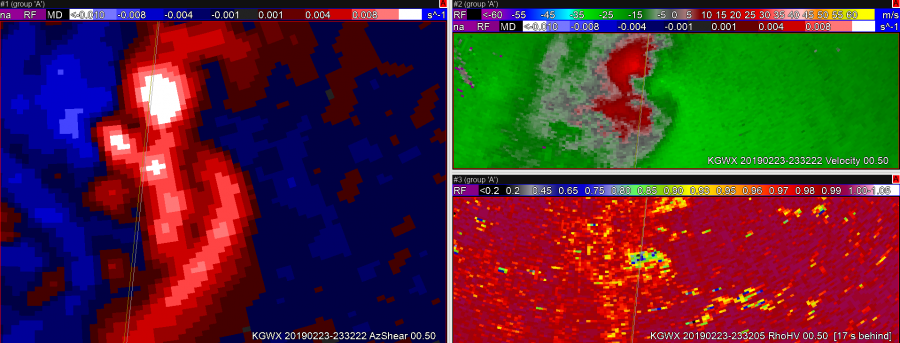
Single radar AzShear appears to do a nice job of highlighting the FFD and especially the RFD right before and during what looks like a fairly significant tornado.

In this first image, the updraft-downdraft convergence zone appears to be a continuous line in AzShear.In the second image, you can see the RFD kicking out ahead of the storm right as the velocity couplet intensifies and a TDS appears.In image 3, it looks like the RFD has pushed well ahead of the tornado, perhaps hinting that the tornado may soon dissipate.  The TDS lingers in this image, but the velocity couplet has weakened.
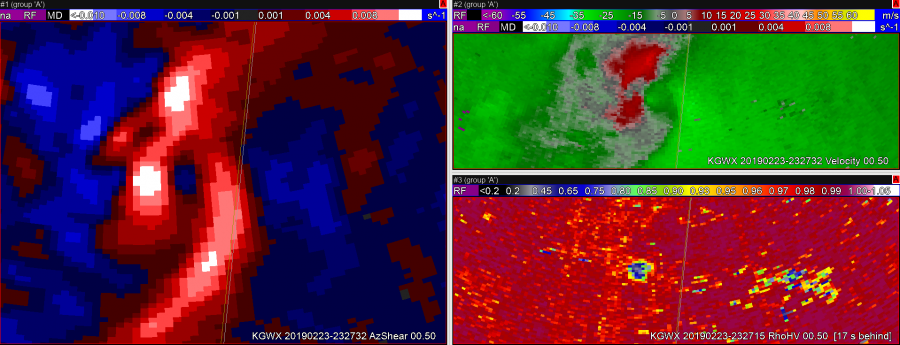
Still have a TDS, but velocity couplet has become very weak.
Sandor Clegane

Single Radar AzShear

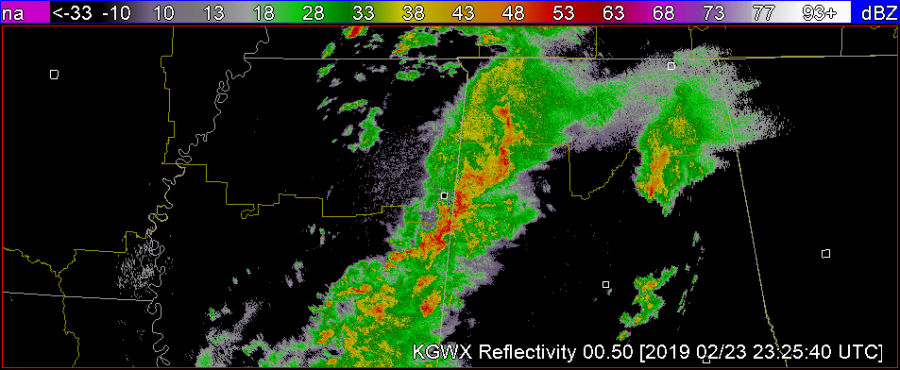
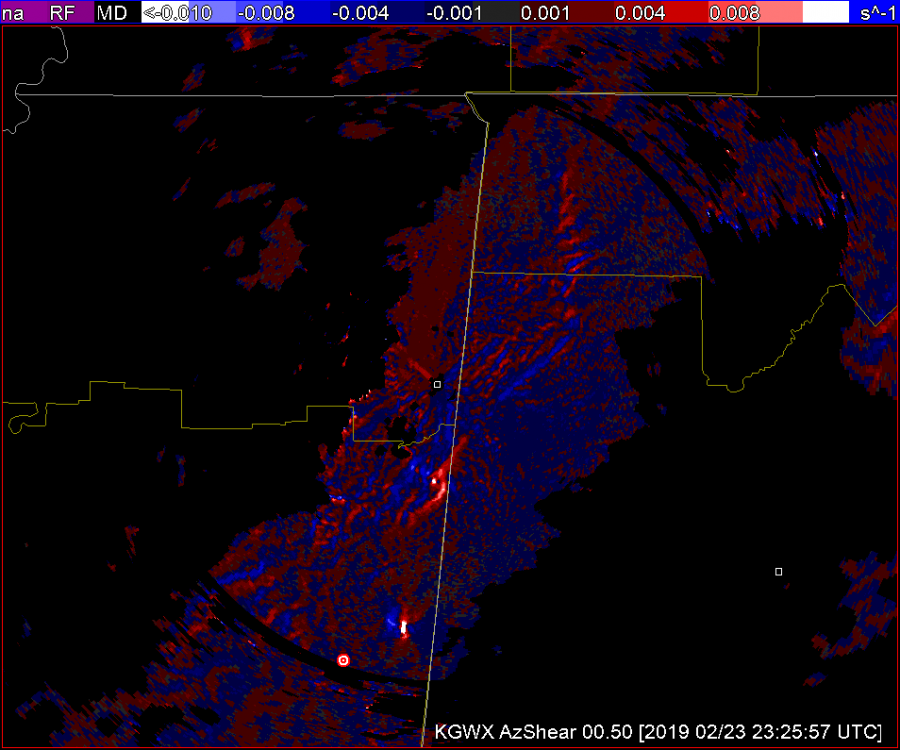
Cellular vs Linear capabilities: Analysis of 20190223

A B C

AzShear draws the eye very  nicely to cellular areas of concern. That, compared to the velocity pictured above in A narrows your attention to the two couplets located in the southern portion of the picture. The issue I see here is the AzShear pictured in C provides a bright spot in the couplet second from the bottom that catches my attention but also lends a broadness to the picture that is a little more difficult to read than the Velocity picture in A. (TDS embedded within.) This may be due to the color table. In totality it’s helpful to rely on the velocity picture that has gradient smoothing to make it more clear what you’re looking at.


-lakeeffect

Single Radar AzShear

The GOOD

1) can make detection of the updraft/downdraft convergence zone (UDCZ) quite clear.  By overlaying things like 0-3km shear, could use this to highlight areas of mesovort development.

2)  Storms with strongest rotation “pop”.   I would use this in my typical volumetric interpretation – likely into a 6 or 9pnl display with other base and dual pol variables.   Could also compare to the integrated 0-2km rotation tracks.

The NOT SO GOOD

  1. Not surprising, the single radar azshear data can be “noisy” – but most of this is in areas that you would not be as concerned about – e.g. well behind the leading line.  But forecasters will need to adjust.
  2. Forecasters will need to “calibrate” values.  Exactly what does 0.008 s-1 mean?  How does this change by range?  What about by tilt?
  3. Is the color scale idea?  Features appear to stand out – but could others be developed to highlight things even better.6