Single Radar AzShear

Cellular vs Linear capabilities: Analysis of 20190223

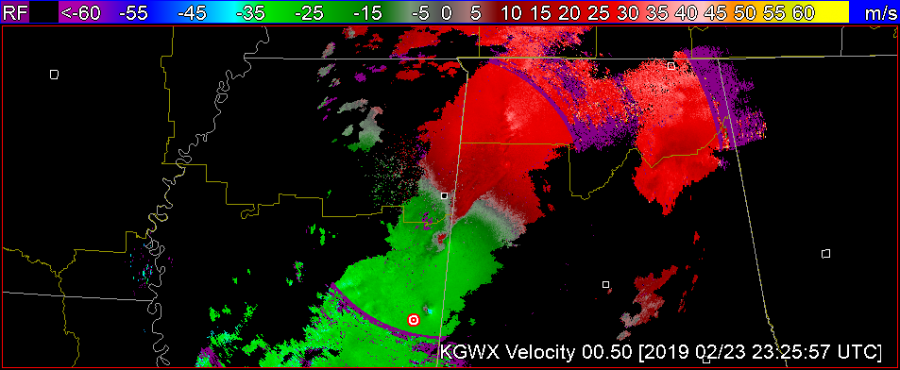
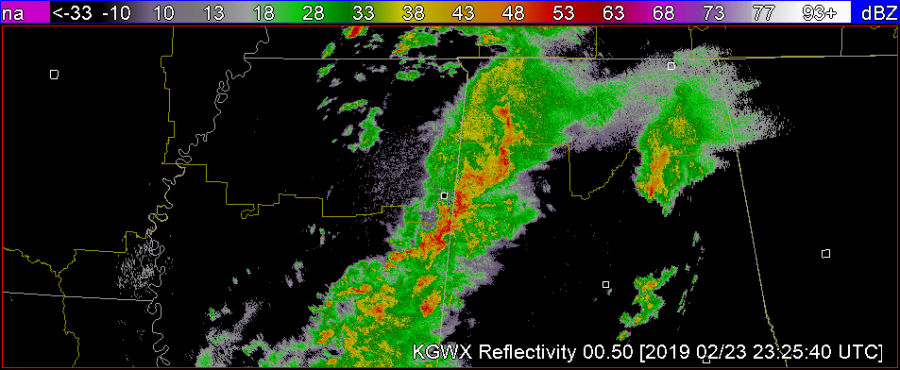
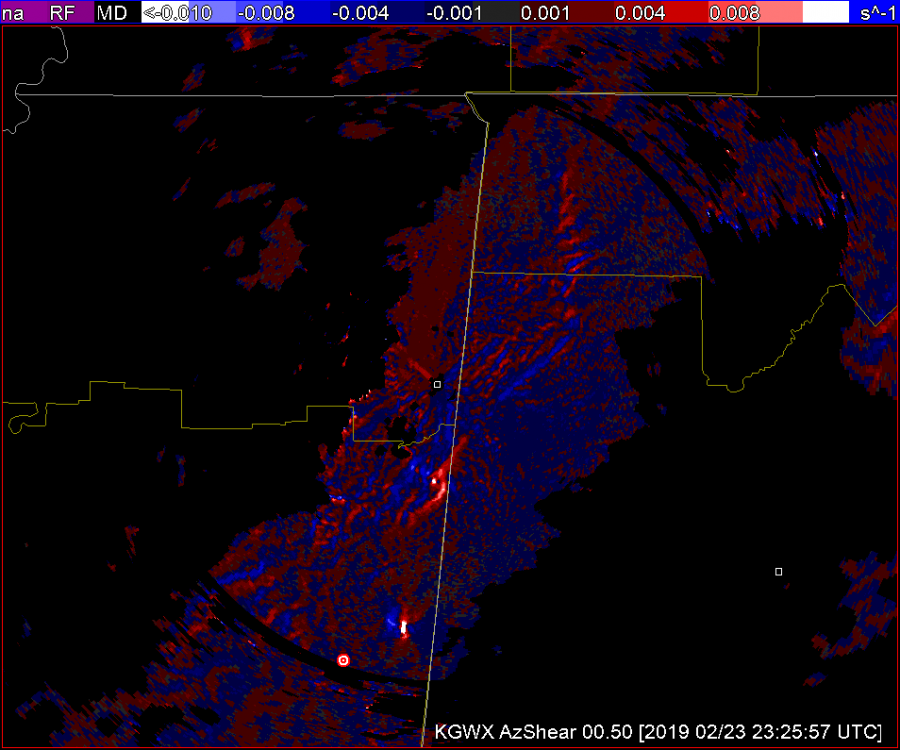
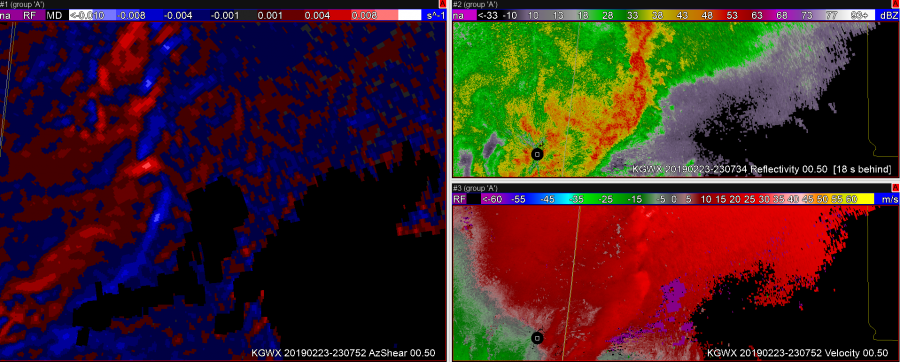
A B C

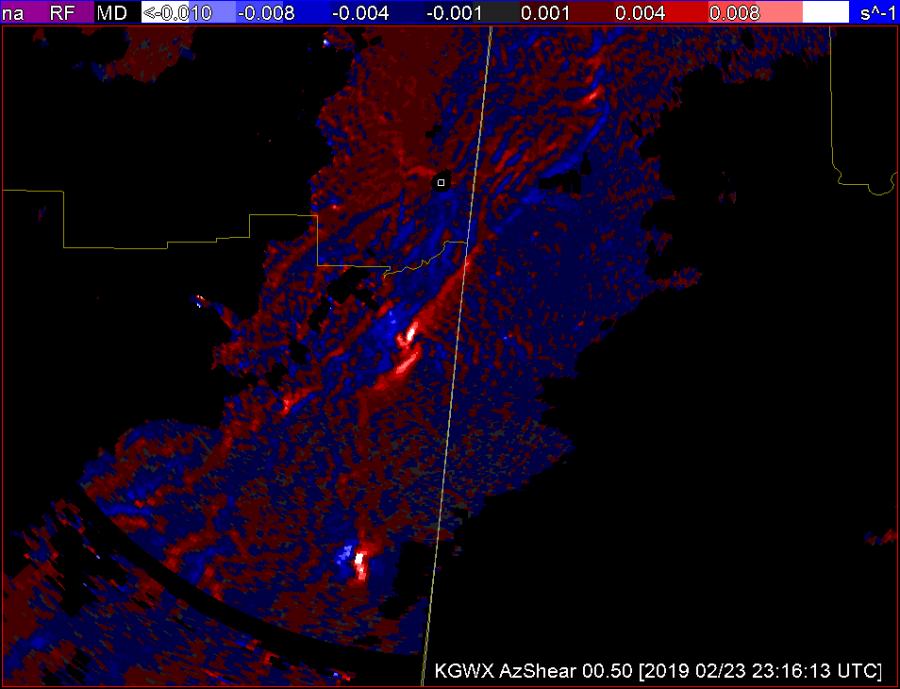
AzShear draws the eye very  nicely to cellular areas of concern. That, compared to the velocity pictured above in A narrows your attention to the two couplets located in the southern portion of the picture. The issue I see here is the AzShear pictured in C provides a bright spot in the couplet second from the bottom that catches my attention but also lends a broadness to the picture that is a little more difficult to read than the Velocity picture in A. (TDS embedded within.) This may be due to the color table. In totality it’s helpful to rely on the velocity picture that has gradient smoothing to make it more clear what you’re looking at.


-lakeeffect

Single Radar AzShear

The GOOD

1) can make detection of the updraft/downdraft convergence zone (UDCZ) quite clear.  By overlaying things like 0-3km shear, could use this to highlight areas of mesovort development.

2)  Storms with strongest rotation “pop”.   I would use this in my typical volumetric interpretation – likely into a 6 or 9pnl display with other base and dual pol variables.   Could also compare to the integrated 0-2km rotation tracks.

The NOT SO GOOD

  1. Not surprising, the single radar azshear data can be “noisy” – but most of this is in areas that you would not be as concerned about – e.g. well behind the leading line.  But forecasters will need to adjust.
  2. Forecasters will need to “calibrate” values.  Exactly what does 0.008 s-1 mean?  How does this change by range?  What about by tilt?
  3. Is the color scale idea?  Features appear to stand out – but could others be developed to highlight things even better.6

Test Post – 2019 HWT Experiment

The first operational week for the 2019 Satellite & Radar Convective Applications Experiment begins next week, 22-26 April.  Some information before your participation begins:

Plan to arrive at the NWC at 11 am on Monday so that we can escort you into the National Weather Center (NWC).  When you arrive, please park in the visitor’s parking lot (the row nearest the building).  After you park, enter in the first floor entrance of the NWC on the northeast side of the building.  When you arrive, wait for Michael Bowlan at the first floor entrance by the security desk.

If you are a NOAA visitor, please wear your NOAA ID at all times within the NWC.  Non-NOAA visitors will receive a “NOAA Visitor” lanyard (from Michael Bowlan).  Additionally, we’ll issue magnetic key cards to enter specific areas in the building (NOAA visitors only).  After this, we will provide a short tour of the NWC so that you can get acquainted with the NWC.

Since our Monday shift starts at 11 am, we will have a brief lunch break during our orientation.  You may bring your own lunch (we have a refrigerator), or you may purchase one at our Flying Cow Cafe on the 1st floor.  The Flying Cow is open all week, from 8:00 AM to 3:00 PM.

Training materials are available on the 2019 EWP website. Please be sure to complete the modules before you arrive.  Also, please have your NWSChat username / password at the ready, as this will be useful during the week.  Finally, if you have any special needs concerning AWIPS-2 color tables, let me know.  If need be, we can upload any special procedures you may have.

We are eagerly awaiting your arrival, and hope you find the EWP experience worthwhile.

Tags: None